
Gladiator Controllers
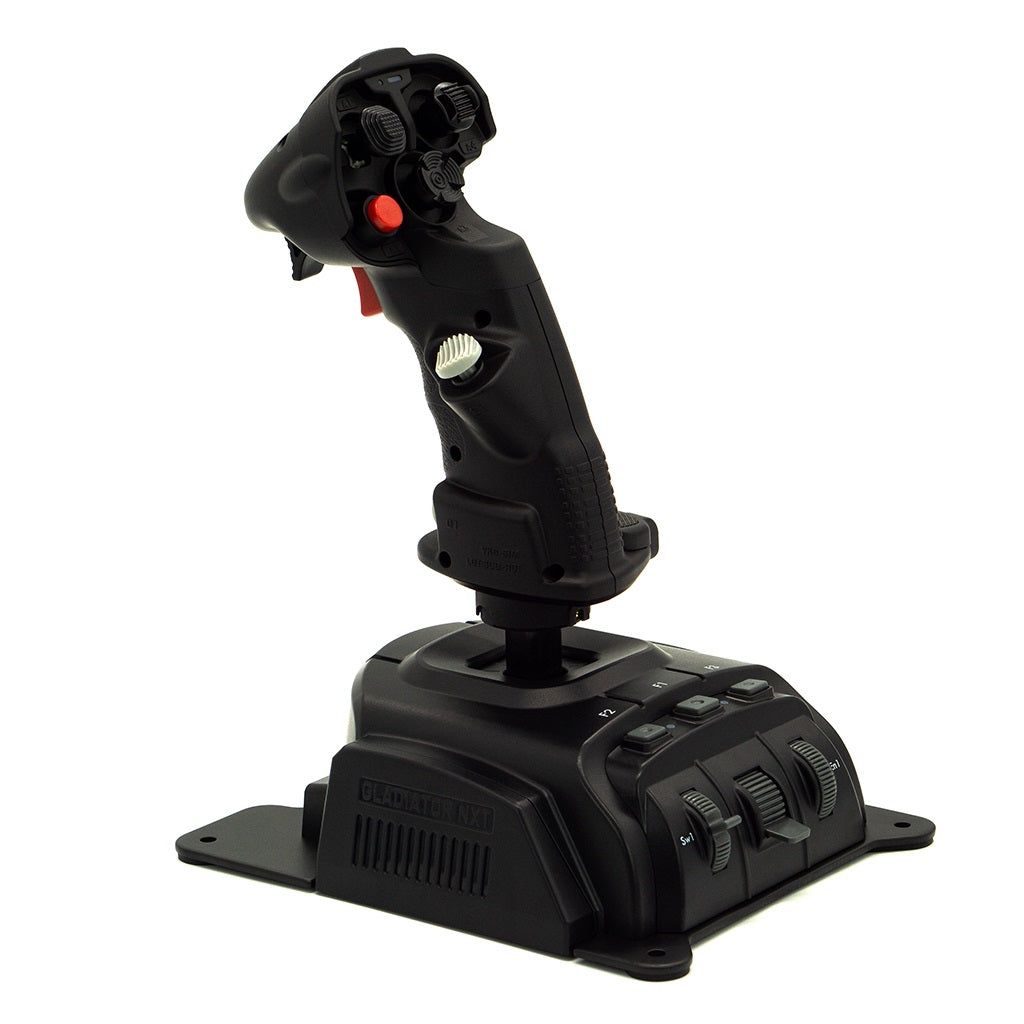
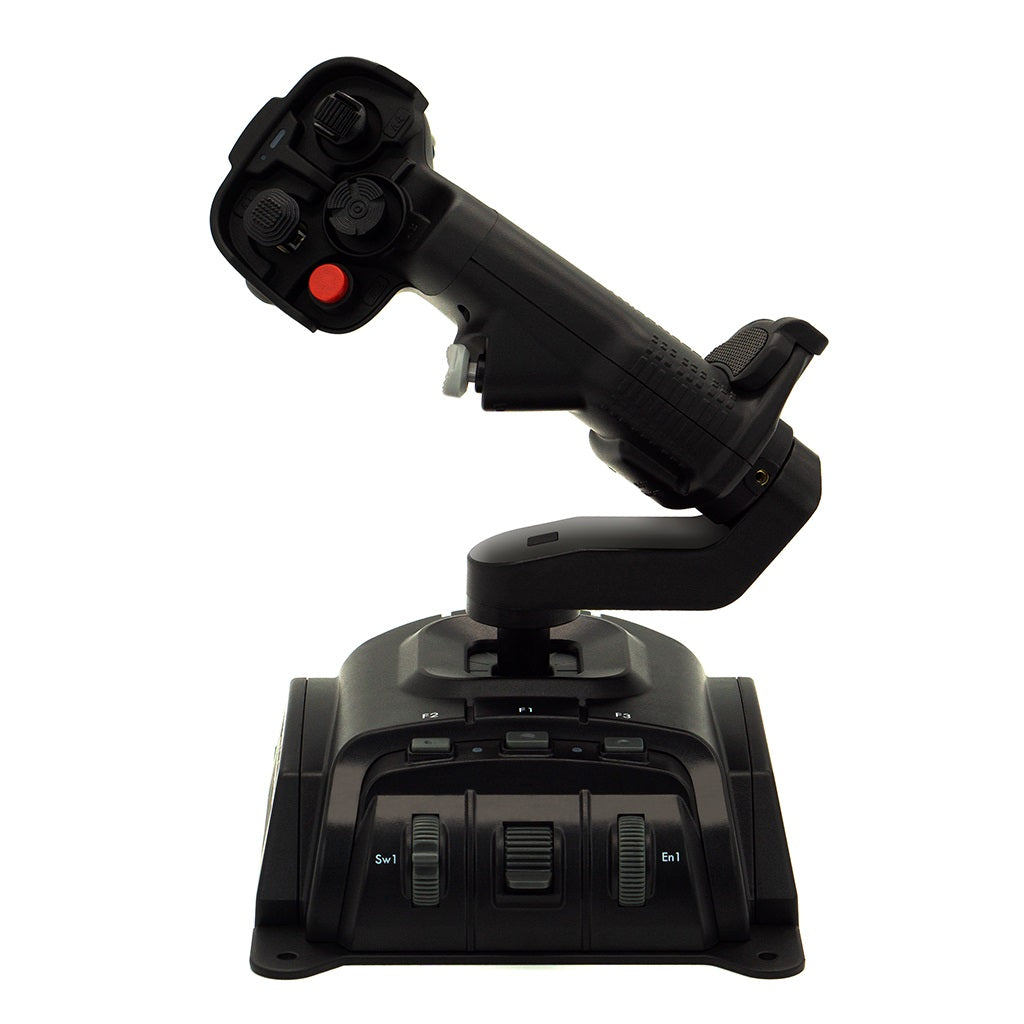
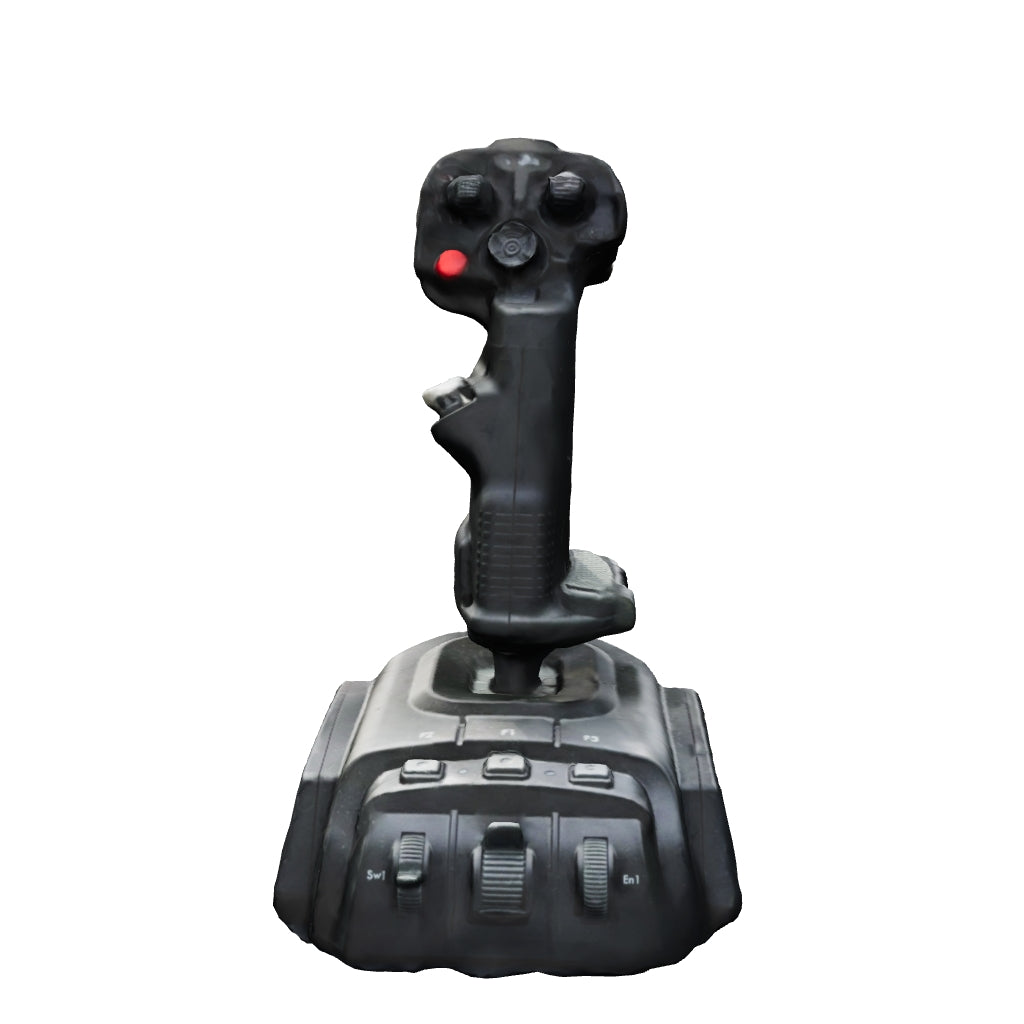 Gladiator EVO 'Space Combat Edition' Premium$310.00$310.00
$0.00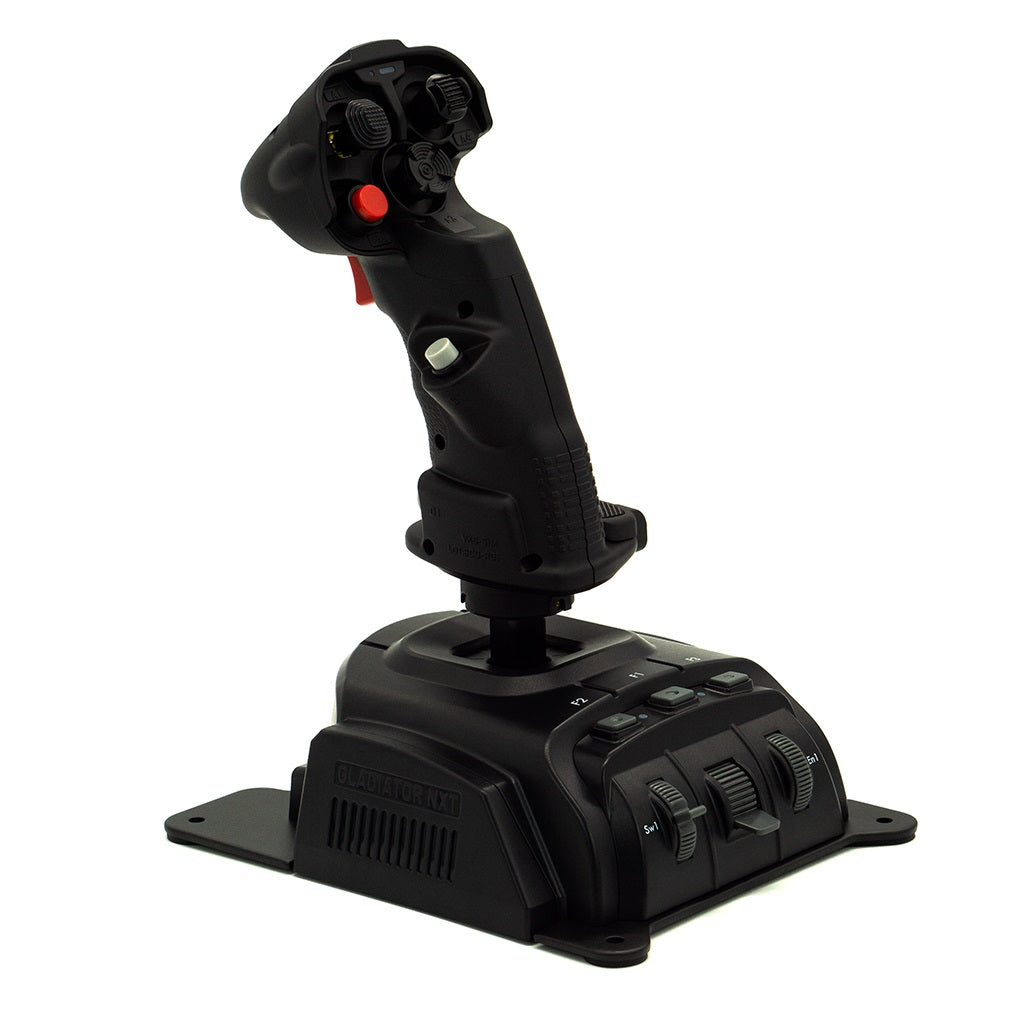
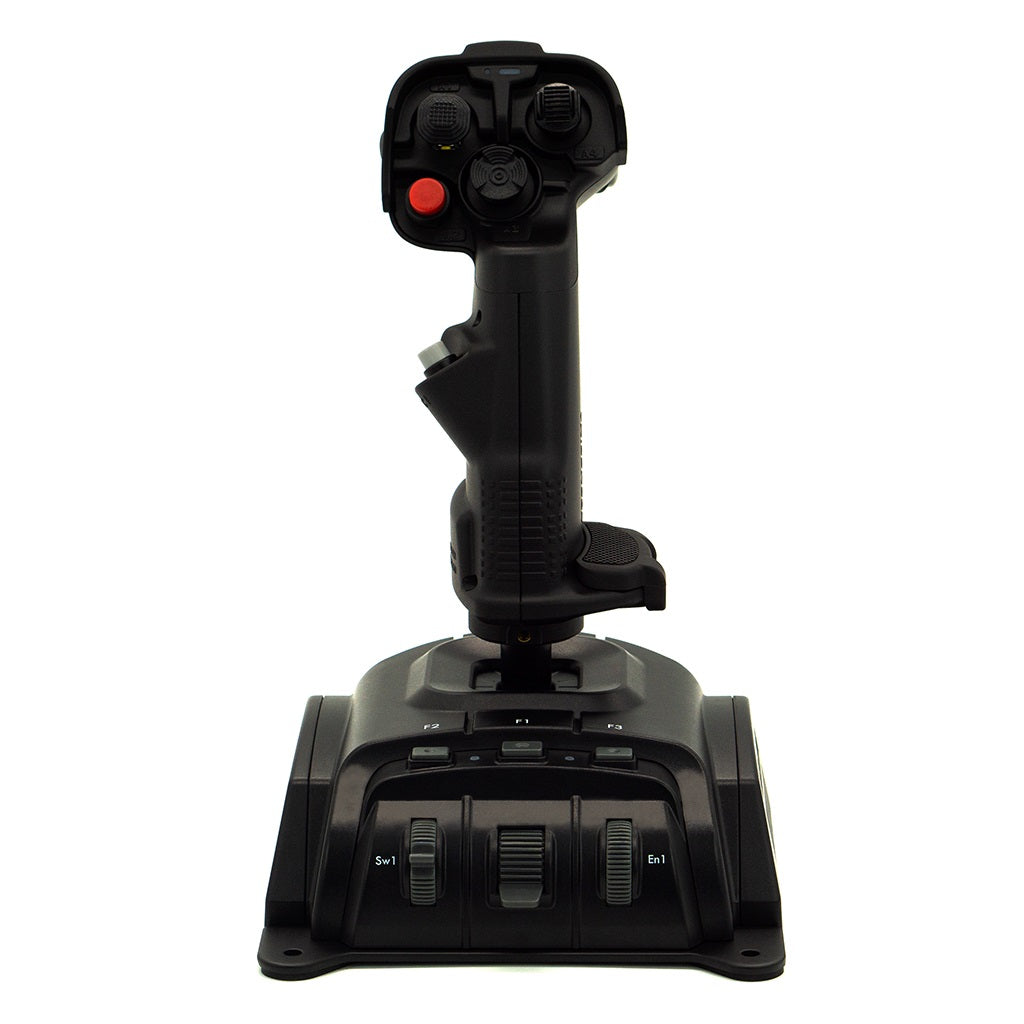 Gladiator EVO 'Space Combat Edition' Standard$255.00$255.00
$0.00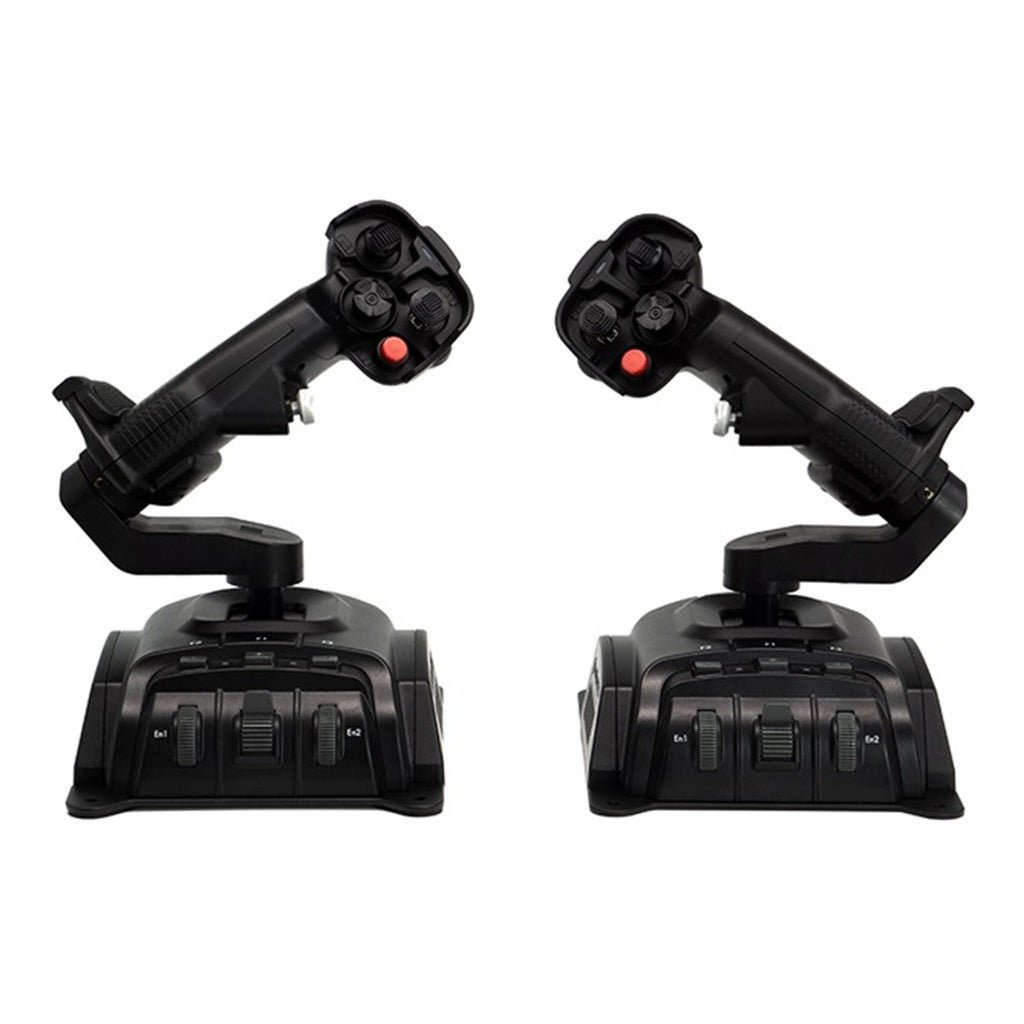
 Gladiator EVO Omni Throttle$325.00$325.00
$0.00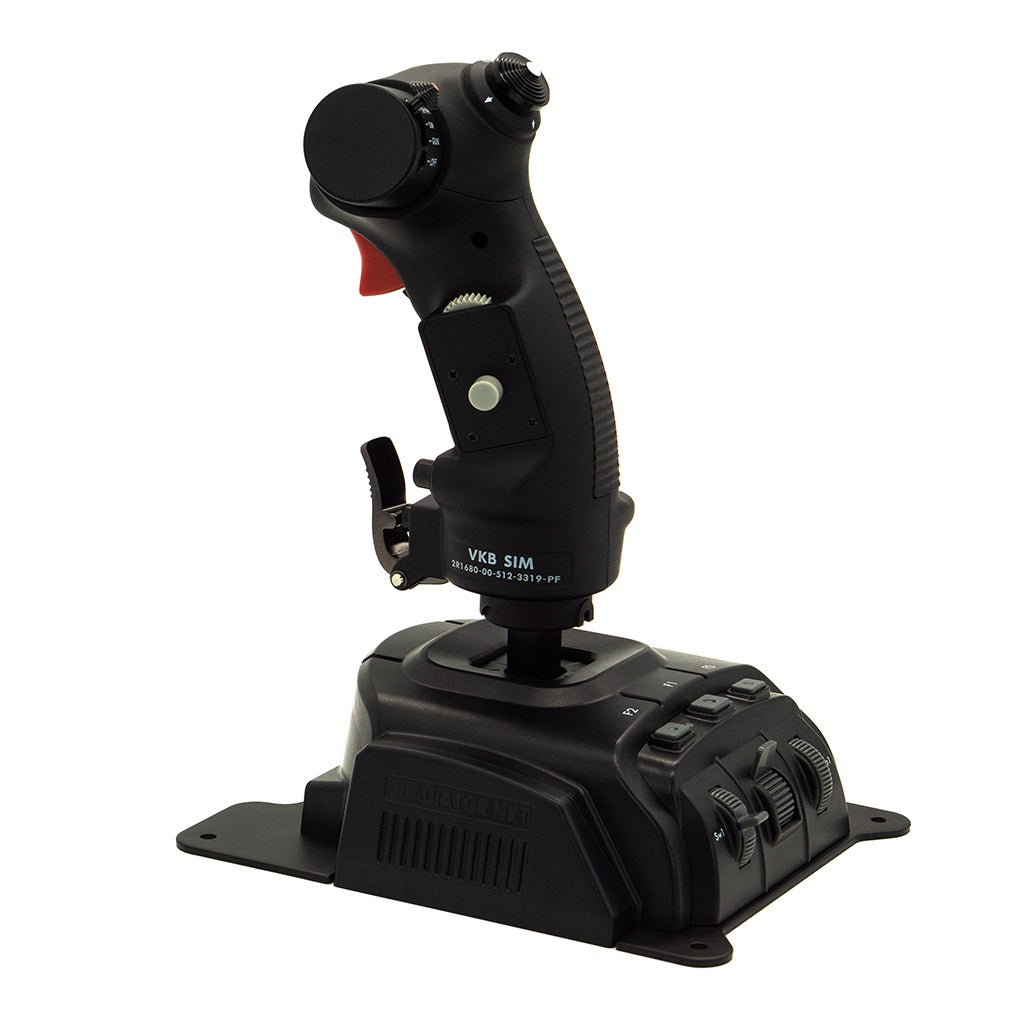
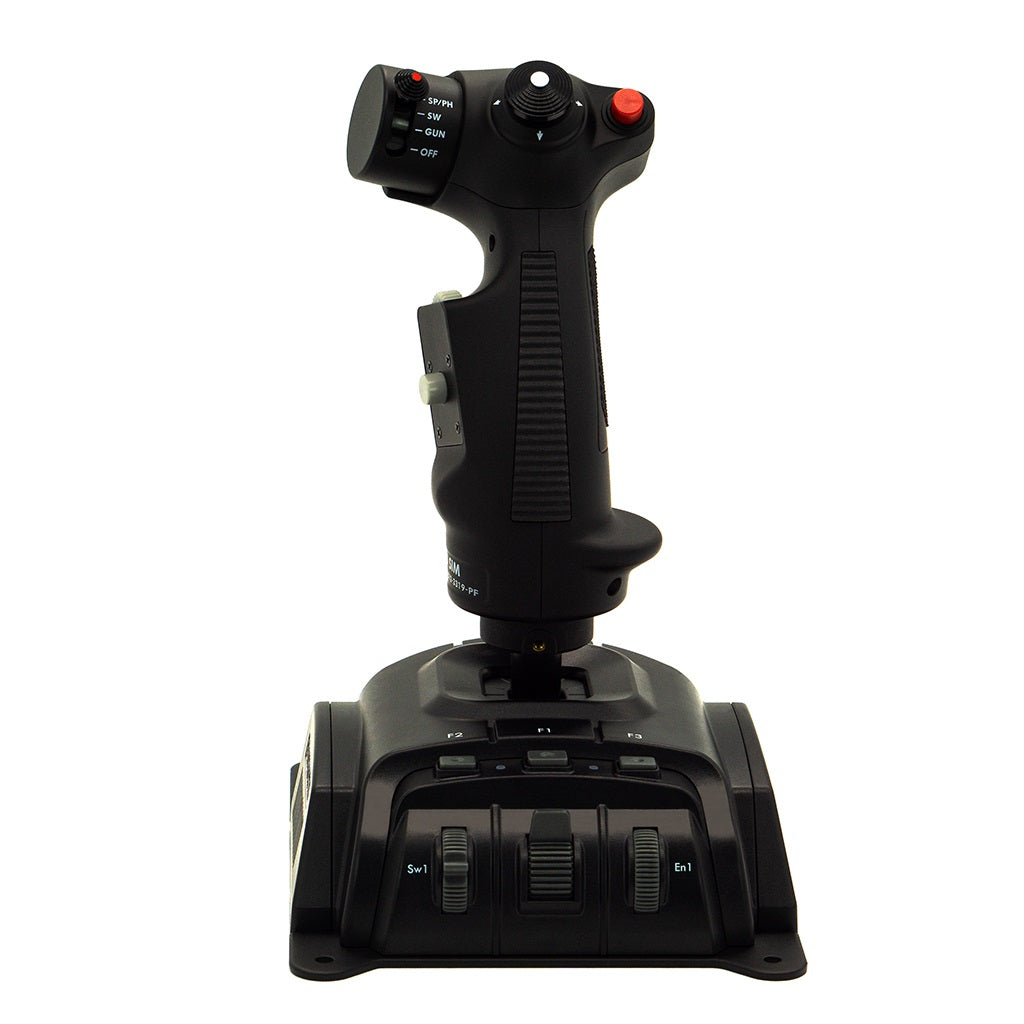 Gladiator EVO 'F-14 Combat Edition'$325.00$325.00
$0.00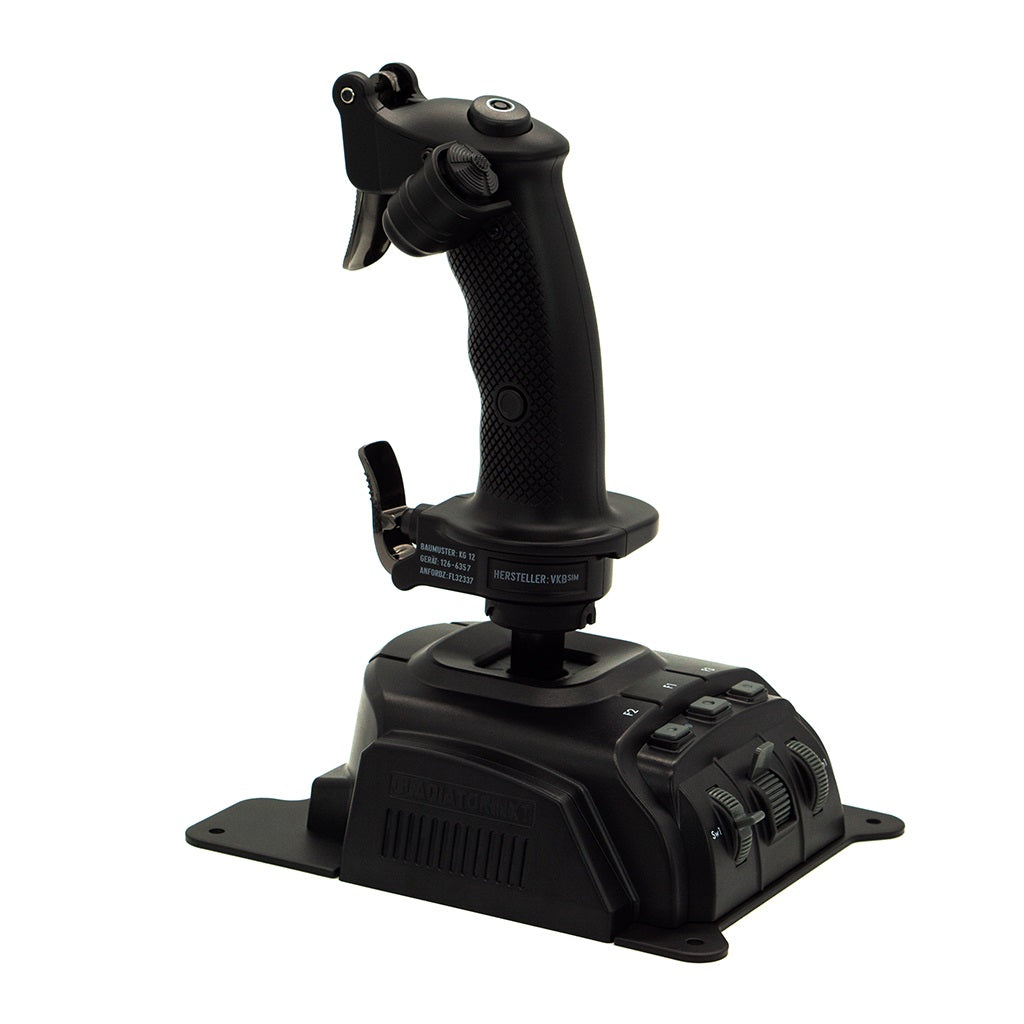
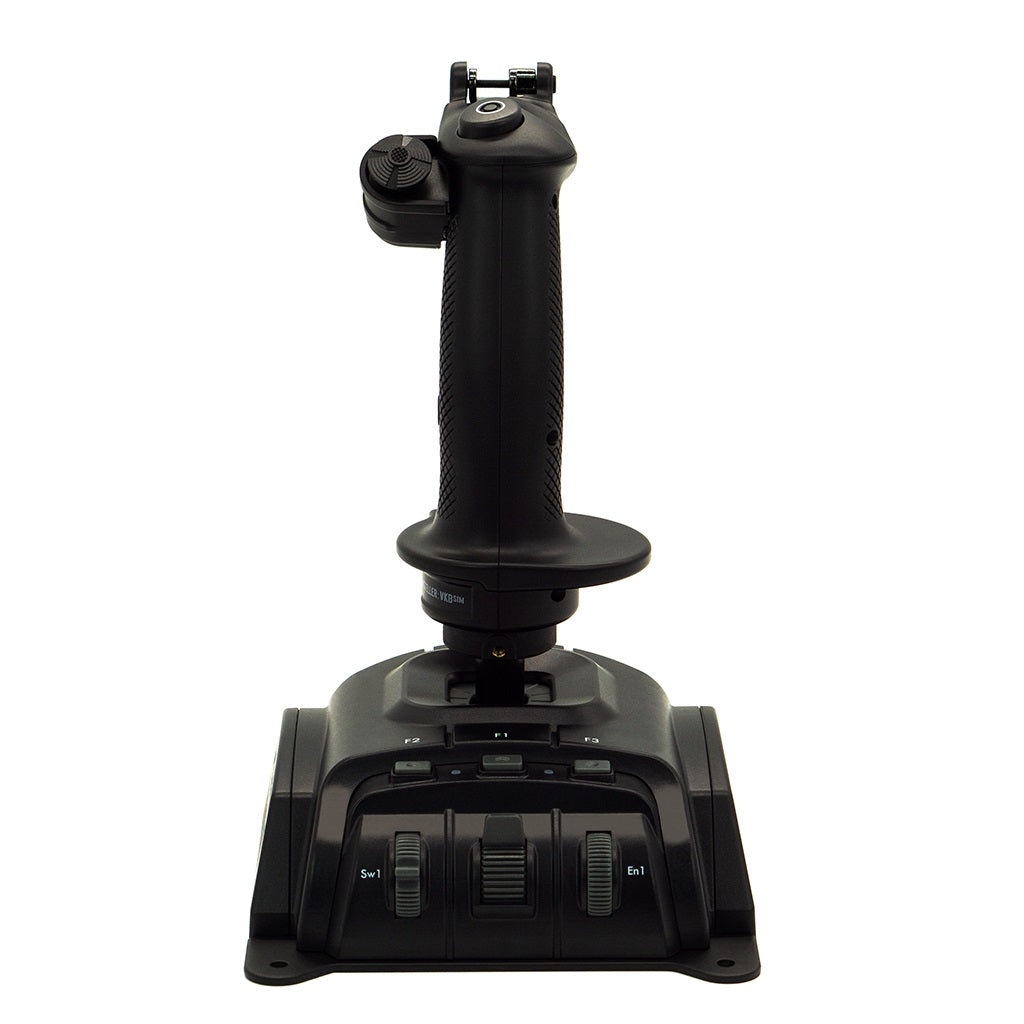 Gladiator EVO 'WWII Combat Edition'$235.00$235.00
$0.00The Gladiator EVO is the affordable entry-level series of our modular VKB flight control system.
Featuring technology usually only found in high-end controllers, EVO controllers come with a variety of grips and optionally as right or left handed.
The Gladiator EVO base - the heart of your controller
New STM Arm 32-bit Cortex-M4 CPU with FPU:
Double the frequency of older chips affords a lot more computation capacity and better handling of trigonometrical algorithms due to on-board mathematical hardware accelerators.
This greatly increases the potential expansibility for future gaming applications.New high-precision gimbal:
Made of glass fiber enforced plastic.
With ball bearings...yes, ball bearings on a budget joystick!
Adjustable dry clutches for user-tunable load. What?? - Yes, adjustable dry clutches on a budget joystick. Welcome to the world of high-end budget game controllers!
Y axis boasts a double clutch for extra stamina when working with the omni-throttle.
X axis can be blocked now. This together with the omni-throttle adapter will effectively turn your joystick into a fully functional throttle. (and into a collective, for the lovers of helicopters).Extensive compatibility:
Needless to say - everything is compatible and retrocompatible across the whole GNX lineup. SCG, KG12 and F-14 grips can be swapped on one common base.
SEM, THQ, FSM modules are 100% compatible and switchable between original GNX and EVO.
Gladiator vs Gunfighter comparison
Please click here to see a comparison between the Gladiator and the Gunfighter.
Grip comparison
Features SCG Premium SCG Standard F-14 WWII KG12 Ideal for Flight & Space sim - all types Flight & Space sim - all types Flight sim - modern fighter jets Flight sim - Warbirds Omni Throttle option Yes Yes No No Description / Technology 32-bit ARM Controllers inside base and grip
ALPS buttons (Japan OEM) for extended longevity
Contactless MaRS sensors with High Resolution
Plug & Play with Driver-Free Installation
Firmware Upgrade via USB
Onboard Memory for Storing Profiles
Optional Programming Software for advanced UsersSame as SCG Premium F-14 replica grip
Metal ammo switch, hat, and emergency-autopilot-disable-trigger
Long travel, soft-click buttons
Modular hat design (fully dismantlable, all buttons user replaceable)
Ammo switch design based on contactless sensor
Spring-loaded, self-centreing DLC (Direct Lift Control) manoeuvre wheel design based on contactless sensor
Two-step trigger design based on cam mechanism – similar to that used in real life war planes
32-bit ARM controller as the brain of the grip32-bit ARM Controllers inside base and grip
ALPS buttons (Japan OEM) for extended longevity
Contactless MaRS sensors with High Resolution
Plug & Play with Driver-Free Installation (Recommended for Most Users)
Firmware Upgrade via USB
Onboard Memory for Storing Profiles
Optional Programming Software available for advanced UsersButtons and switches 1 Dual Action Trigger
1 Rapid Fire Trigger
3 Hat switches with centre push (4-way)
3 buttons
1 analog mini stick with center push (8-way)
Programmable red colour LED
Programmable RGB LED
Extra button module for C1 position
Extra hat switch module for A1 position
Trigger cover
Lockable Twist z-axisSame as SCG Premium excluding:
1 Rapid Fire Trigger
1 analog mini stick with center push (8-way)1 Twist z-axis (lockable)
1 DLC (Direct Lift Control) axis
1 Hat Switch with push
1 Dual-stage trigger
1 Four-stage ammo selector with safety lock and push
4 Programmable buttons1 Folding trigger (metal)
1 Pinky lever (metal)
1 Bomb release button
1 8-way HAT switch
1 Side buttonMaterial Grip: Industrial-grade ABS
Base plate: SteelSame as SCG Premium
Same as SCG Premium
Same as SCG Premium Comfort 2 interchangeable palm rests (total 3 palm-size adjustments) Same as SCG Premium Rubber inserts for a no slip firm and handy grip with handrest No slip grip with handrest Mounting options Table-top with heavy duty metal base plate
UCM Desk mount - height adjustable (UCM-S GL)
Same as SCG Premium Same as SCG Premium Same as SCG Premium What is so special about VKB flight controllers?
VKB is the world's premier manufacturer of flight & space sim controllers for any type of virtual aircraft and spacecraft.
Our controllers are of the highest quality, extremely versatile and many simmers use them for flight & space sim games and multiple sub-genres like general aviation, military combat flight as well as space combat and exploration.
Thanks to their superior engineering, full modularity and high-level customisation, VKB controllers provide an industry-leading immersive and realistic flying experience with high precision controls.
Take to the skies with ultimate control!
Technical specifications Gladiator EVO base
- 2 Contactless MaRS sensors on X and Y axes
- 1 Auto-centreing 3-position switch
- 1 Throttle wheel
- 1 Rotary encoder
- 3 buttons
- Gimbal with ball bearings
- Adjustable dry clutches for user-tunable load
- 2 Programmable single-color LEDs
- Tabletop base steel plate
- Operating manual
- Set of soft springs
- Set of strong springs
- Spring extractor tool
- Set of screws
- Screwdriver
- USB cable (180cm/70inch)
- Cable holder tool
I am new to flight & space simulation. Which controllers should I choose?
In very simple terms you should choose a flight stick, a throttle and ideally rudder pedals.
1. Joystick
You have the option between the Gladiator EVO series and the premium Gunfighter Mk.IV series.
The Gladiator EVO is a fantastic mid-priced controller with high-tech features. It comes with multiple grip options.
You can adjust the gimbal to adjust the stick movement extension exactly how you like it.
You won’t find a better controller in this price range.
The Gladiator EVO is by far the most popular joystick!For general aviation, military aircraft and space sim purposes we recommend the ‘Space Combat Grip’ SCG grip unless you specifically want to fly the F-14 or WWI/II warbirds only in which case you could opt for the F-14 grip or the WWII Combat Edition KG12 grip.
The Gunfighter Mk.IV series was released in 2023 and boasts the ultimate in joystick technology.
You get the full gimbal adjustability with ultra-precise movements.
And you can add stick extensions if you want to strive for the very best stick precision.We recommend the MCG grip as it is the most versatile and perfect for all types of aircraft.
The MCG Ultimate – an all-metal grip that is clearly the king of joysticks in the market.You can’t go wrong with any of the suggested options and it may well come down to how much you like to spend.
Throttle
Please see the Throttle page for further information.
Rudder pedals
Please see the Rudder pedals page for further information.
Desk mounts
For the optimum ergonomic setup please see the UCM Desk mounts page for further information.
Are stick extensions available for the Gladiator?
No, stick extensions are only available with the Gunfighter controllers.
Installation and setup video
Please click here to watch on the VKB YouTube channel.
Which games can be played with VKB controllers?
VKB controllers work with most PC sim and other games, including all popular flight & space sim games such as Microsoft Flight Simulator, DCS, X-Plane, IL-2 Sturmovik, War Thunder, Star Citizen, Elite Dangerous etc..
VKB controllers may even be used for games such as Farm Simulator, Train Simulator, Battlefield, etc..Can VKB controllers be mixed and matched? Are there any limitations?
Yes, you can choose any combination of VKB controllers / hardware.
Want a Gladiator flight stick with a STECS throttle? No problem.
Upgrade later to the Gunfighter and keep your Gladiator grip? Sure, with a low-cost adapter that's no issue.
Playing flight and space sims but want to only use one Gladiator or Gunfighter base? Yes, all that can be done!When it comes to hardware, VKB has carefully considered the compatibility of all components for current and future modularity.
This is the VKB Universe where you build your own personalised cockpit!
What platforms are VKB controllers compatible with?
VKB controllers are compatible with Windows PCs.
They are not compatible with Xbox, PS5, Apple or any other platforms.What setup do you recommend for gliders?
The best option is a Gunfighter stick with 200mm extension mounted on a UCM desk mount, plus T-Rudder pedals.
The Gunfighter base allows to tweak the dampeners and spring tensions exactly at the resistance that most closely resembles the real-life situation.
The Gunfighter platform is extremely sturdy and perfect for the most-immersive flight sim experience.
The Gunfighter stick extension augments the Gunfighter’s already unparalleled precision.
A stick extension is preferred by our sim customers who are seeking the best
possible control precision.The UCM mount provides an ergonomic and height adjustable setup, ideal for your setup that suits many different pilots.
The T-Rudder is an all-metal low-profile rudder pedals that is durable and extremely sturdy.
The pedal tension can be adjusted to your needs.This is a fantastic sim cockpit configuration and will last for many years to come.
Let customers speak for us
![Gladiator EVO 'Space Combat Edition' Premium]() My second favourite stick to play with! 10/10
My second favourite stick to play with! 10/10Fantastic product. Straight foward assembly and easy to follow set up videos. I bought this stick to see if I would get into the flight sim hobby. I originally looked into various cheaper options as an entry point, but found other reviews were very clear that "you get what you pay for".
It's only a matter of time before I order more vkb products to add to this stick. 10/10 would buy again.Thomas Green![UCM Adapter Plate for Gunfighter]() This is thick and sturdy with no noticeable flex
This is thick and sturdy with no noticeable flexThis is thick and sturdy with no noticeable flex. It made my wooden joystick stand building far more pleasant, not having to perfectly line up screws for the base, and allowed for easier access to springs etc.
SjakC![Gunfighter Mk.IV Stick Extension – 100 mm / Straight]() Adds so much extra throw to the vkb gunfighter
Adds so much extra throw to the vkb gunfighterAdds so much extra throw to the vkb gunfighter. Sturdy, no wobble, allows even stronger default off acid position to left is needed. This is excellent for use as part of a center stick. Bear in mind you'll need to sit further back from your desk or lower or mod your table. I do not advise using this as a side stick, especially on higher spring strength, as pulling back out to the right will be like rowing. Side sticks usually have less throw. I had a lot of fun learning how to do wood working as I chased building my first joystick stands - my chair and desk doesn't support most existing mounts, so I had some misadventures learning to build my own. Reconnected with my dad over wood working in the process, which was an added bonus. Thank you
SjakCExcellent serviceExcellent speed of service, response time, packaging, delivery time frames, quality of product. Thank you for your time and assistance, Luke
SjakC![Gunfighter Mk.IV Modern Combat Edition Ultimate with Twist]() Reconnected with my dad, and a worthy upgrade from my MS SW FFB2
Reconnected with my dad, and a worthy upgrade from my MS SW FFB2I've had my beloved old Microsoft Sidewinder Force Feedback 2 for some 29 years. It still works and has a good feel, but to fix a couple of buttons on the base would risk breaking plastic pins etc. I lacked enough buttons and mouse and keyboard rifle aim was beating out my joystick for precision and latency, and games long ago ceased supported force feedback like they used to. There was no supporting software, I had to emulate a stick to adjust curves, etc. And support had vanished shortly after I bought it. If I was going to buy anything to replace my ms sw ffb2, I wanted something that felt like an upgrade.
The T16000 thrustmaster was definitively a downgrade, with an awful axis that would wear down over time. The gladiator, while an excellent product, had too strong a center detent, and I still preferred my older plastic grip. I appreciated the local Aussie customer support from Luke on these some years ago, which is why I considered coming back to vkb and not the competition. If I was going to make the change, I wanted something that would hold up for the next 29 years. I wanted all metal, something I could take apart and fix myself.
The gunfighter and MCGU is the first joystick that feels like an upgrade. My precision and response time is far better. You must take photos before taking it apart, as the order of washers etc matters to help keep it moving smoothly and not have parts bump into rmeach other. I fiddled with it for the first few weeks, learning what spring strength I thought I would like vs what I actually needed once in game. I love that it came with multiple cams so I could so drastically change how it felt. I love that it came with multiple POV hats and ministicks so I could find what best fit around my hands. The vkb config software was daunting at first, but oh so powerful
I learnt a lot about ergonomics - the grip sits higher than I was used to, which meant my shoulder was poorly positioned. Even with the adjustable palm rest on highest settings, the grip and base felt like it was designed for larger hands (mine are under 7 inches index to wrist, and I'm not tall).
I had a few minutes of buyers remorse before I started trying out every coffee table in the house, looking to figure out what exact height I needed the stick to be at for comfort. In my case, I clearly needed my base to sit lower than my desk - but my desk is glass and trading for wood that could support clamps is not a viable option when you've got little blind old birds that like to rest on your tabletop! I needed to make my own joystick stand, somehow, to work out if the problem was me or the stick. But I'm not a hardware kind of guy. I didn't know how to cut square, or even how to cut wood with a handsaw full stop, what a countersunk screw was or how to countersink, just... None of it.
So I went to Bunnings anyway, and they were kind and patient and showed me I didn't need to be afraid of cutting ply and sent me off with some free offcuts, cheap posts, plywood and screws. I spent an afternoon making a thing. The stand showed me that the issue wasn't the stick but how I positioned it. And then I made a second thing. By the fifth version of my joystick stand within the same fortnight, I had reconnected with my dad who was finally interested in something in my life, and had far spent more time wood working than actually playing with my new joystick. It was already money well spent and not at all how I had expected. I had worked out that the MCGU wasn't too small, but actually your hand isn't meant to be glued into just one position on the stick at all times. I learnt that big buttons on the top don't need to be your most hit buttons - those should instead be near your default grip. I learnt that center stick is awesome to accomplish a build for and feels most ergonomic but gets in the way of keyboard access and requires being further pushed away from the table and monitor. A poorly positioned side stick and wide back chair will lead to struggles pulling back out to the right. The best position for me was out near my knee.
The discord is a spectacular place for advice and feedback and all the other things I learnt, I highly recommend the company and wisdom available.
I have been playing with the stick as well. I tried going back to the old ms sw ffb2, and now that feels like the downgrade with the clunky grinding of the ffb base as I move through the axis. But with the Space-S cams and 20*2 springs, the gunfighter is ideal for me, whether I'm emulating a controller for battlefield or learning how to fly in msfs.
Thanks, Luke & VKB.
SjakCVery good serviceMy dealings with the store have been great. 3 items purchased, very fast delivery, always updating on delivery process too.
The team don’t just send and ignore, have good after sale support and make me feel noticed which is why I will continue to support VKB Australia.Shane![STECS Throttle System Mk.II - Mini Plus]() Fully recommend
Fully recommendVery comfortable and a great layout.
Just great to use
I recommend for space simsShane![Gladiator EVO 'Space Combat Edition' Premium]() Easy to setup and use feels very smooth and it’s
Easy to setup and use feels very smooth and it’sEasy to setup and use feels very smooth and it’s at a great price I’m very happy
Timmy’sGreat experience buying from VKB AustraliaFirst time purchasing anything from VKB and overall it was a great experience.
Ordered both the Gladiator EVO Omni Throttle and Space Combat Edition Premium. Everything arrived well packaged and in good condition, and I was really happy with how quickly the order arrived. (The Next Day)
The website was easy enough to use and there was plenty of information available about the different options.
Both sticks have been great so far and I'd definitely consider buying from VKB again in the future.
Joshua Cooke![Gladiator EVO 'Space Combat Edition' Premium]() Excellent joystick and worth the money
Excellent joystick and worth the moneyThis is my first proper flight stick and honestly I'm really impressed with it. I've been using it alongside the Omni Throttle for helicopters and space combat games.
The stick feels solid, the movement is smooth and precise and there's a heap of buttons, hats and controls to customise. The Premium version was definitely worth getting for the extra controls.
There's a bit of a learning curve if you're coming from a controller or keyboard and mouse, and getting all the bindings set up can be a pain depending on the game, but that's not really a fault of the stick itself.
I've been having a blast learning to fly with it and I'm looking forward to eventually using it in Star Citizen as well. Definitely happy with my purchase.
Joshua Cooke![Gladiator EVO Omni Throttle]() Great throttle with plenty of customisation
Great throttle with plenty of customisationThis is my first proper HOSAS setup and I've been really happy with the Omni Throttle so far. Mainly been using it for flying helicopters in games like War Dogs and Microsoft Flight Simulator.
Took a bit of getting used to coming from someone who mainly uses keyblard and mouse, especially learning how to control helicopters properly, but once you start getting the hang of it, it's a completely different experience.
The build quality feels great, there's plenty of buttons to customise and I really like that you can adjust the springs and lock certain axes depending on what you're flying.
Setting everything up in different games can take a bit of time, but overall I'm really happy with the purchase and would definitely recommend it.
Joshua CookeThe Best Way to Save Money Getting Into Flight SimsThis bundle was a really good find for someone getting into flight sims without wanting to spend a fortune straight away. I was already looking at getting into the hobby, and finding a bundle like this made it a much easier decision because I could get a bunch of games for the price of what I would normally spend on one or two.
I’m still a beginner, so having a few different games to try has been great. It lets me work out what I actually enjoy instead of dropping a heap of money on one sim and hoping I like it. For the price, I think this is a really easy recommendation if you’re curious about flight sims and want to try a few different experiences.
It also helped justify the STECS and Gladiator purchase to myself, which is obviously the important part. My wallet is happy, my HOTAS is happy, and apparently I’m now a pilot. Just don’t ask me to land.
Jared G![Gladiator EVO 'Space Combat Edition' Premium]() My First Real Flight Stick and I’m Completely Hooked
My First Real Flight Stick and I’m Completely HookedI’m pretty new to HOTAS and flight sticks, so I had no idea what I was getting into with the Gladiator EVO. I mainly wanted something to make space and flight games more immersive, but I didn’t expect it to change how I play them this much. Going from a controller to an actual stick took a little getting used to, but once it clicked it was so much more fun.
The build quality feels great and the stick is really smooth and precise. There are a lot of buttons, which was a bit overwhelming at first, but I’m getting used to having everything within reach. Setup was easier than I expected too, especially with all the videos and helpful people in the community.
Paired with the STECS, it’s completely changed my experience with these games. I’m still a beginner and probably doing half the things wrong, but I’m having a blast learning. My biggest problem now is remembering which button I mapped everything to 😂. Definitely feels like I’ve accidentally discovered a new hobby haha.
Now I just need to explain to my wife why I apparently need a cockpit in the living room.
Jared G![STECS Throttle System Mk.II - Mini Plus]() A Surprisingly Easy Way Into HOTAS Gaming
A Surprisingly Easy Way Into HOTAS GamingAs a complete beginner to this hobby, the STECS Mini Plus has been an absolute game changer.
I’ve played pretty much everything under the sun; VR, handhelds, racing sims, you name it, but I’d never experienced anything quite like using proper physical controls to fly a spaceship or helicopter. Going from a keeb and mouse to a HOTAS setup felt like a massive leap into a completely different universe of gaming, and honestly, I wasn’t sure I was ready for it!
Thankfully, getting started with the STECS was much easier than I expected. There are heaps of fantastic videos, setup guides and support resources out there, and the VKB community has been incredibly helpful.
The STECS feels fantastic, and paired with the Gladiator, it has completely changed the way I look at these types of games. What started as me thinking “I’ll give this a try” has turned into me actively looking for new games to play.
Now when a new game comes out that I would normally skip, my first thought is “Does this work with the VKB STECS and Gladiator?”
For someone new to the hobby, I couldn’t be happier with the experience so far. It’s made flying games feel exciting in a way I honestly didn’t expect, and I’m looking forward to seeing where this rabbit hole takes me next.Jared G![Gladiator EVO 'Space Combat Edition' Premium]() Excellent feel and responds well
Excellent feel and responds wellExcellent feel and responds well, I have it on a mounting bracket and it sits and rolls well. The buttons and nice and clicky and the springs are adjustable exactly as I need it
Daniel- Choosing a selection results in a full page refresh.


